Your phone is your library card!
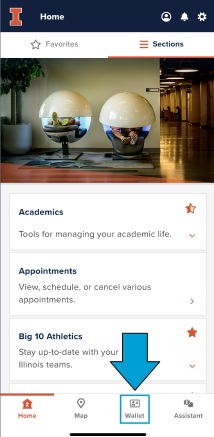
- Open the Illinois App and select “Wallet” from the four icons at the bottom of the screen.
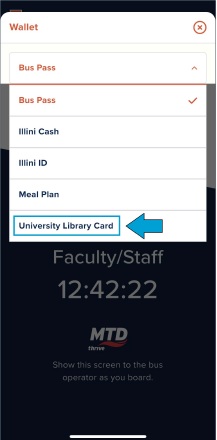
- Select “University Library Card” which is the fifth option in the Wallet dropdown menu.
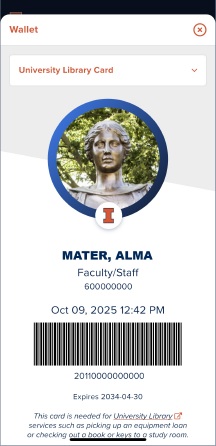
- The screen is now your library card including the barcode scanned to circulate materials.